
Mental model
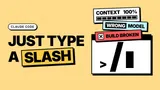
Section titled “Mental model”Claude Code brings Claude directly into your terminal. Commands start with a / and provide ways to manage Claude’s behavior, handle files, navigate your project, and trigger tools without leaving the chat interface. Think of / commands as controlling the shell that surrounds Claude’s AI engine.
Basic session control
Section titled “Basic session control”| Task | Command |
|---|---|
| Start fresh | /clear |
| View shortcuts | /help |
| Exit CLI | /exit or /quit |
Commands to manage the lifetime of your Claude Code session. Running /clear provides an empty context window without losing project memory.
/clear my-previous-taskTip: You can resume a previous session with
/resumeand selecting it from the picker.
Project and files
Section titled “Project and files”| Task | Command |
|---|---|
| Initialize | /init |
| Switch dir | /cd <path> |
| Add dir | /add-dir <path> |
Claude Code needs to know what files it can access. /init creates a CLAUDE.md to guide Claude in your repository. /cd safely changes directories while preserving context.
/cd src/componentsGotcha: If you just want Claude to read files in another directory without moving the session, use
/add-dirinstead.
Model and context
Section titled “Model and context”| Task | Command |
|---|---|
| Change model | /model |
| Adjust effort | /effort [level] |
| See context | /context |
Large codebases fill the context window fast. /context visualizes what is taking up space. /model and /effort control which model runs and how much reasoning it applies.
/effort high/compactNote: Use
/compactto summarize the current conversation to free up context space.
Background tasks
Section titled “Background tasks”| Task | Command |
|---|---|
| List tasks | /tasks |
| Detach session | /background |
| Copy to background | /fork |
Claude Code can run tasks in the background. /tasks lists background work and subagents. /background lets the whole session run detached so you can close your terminal.
/forkTip: Use
/subtask <task>to hand a side task to a background agent that will report back to your current conversation.
Code review and changes
Section titled “Code review and changes”| Task | Command |
|---|---|
| View diff | /diff |
| Code review | /code-review |
| Batch changes | /batch <inst> |
These commands analyze or manipulate your code at scale. /diff opens an interactive viewer. /code-review checks for correctness and can apply findings with --fix.
/code-review medium --fixWarning:
/batchwill create isolated git worktrees and open PRs for each unit of work it identifies.
Troubleshooting
Section titled “Troubleshooting”| Task | Command |
|---|---|
| Run checkup | /doctor |
| Fix setup | /doctor |
| Rewind session | /rewind |
If something breaks, /doctor runs a setup checkup to diagnose installation, path, and configuration issues. /rewind rolls code and conversation back to a checkpoint.
/doctorGotcha:
/debugenables debug logging mid-session, which is useful if you didn’t start Claude with--debug.
Further reading
Section titled “Further reading”- Claude Code Interactive Mode — Keyboard shortcuts, Vim mode, and command history.
- Claude Code Skills — Learn how to create your own custom commands.
- Claude Code Agent View - Learn about background tasks.
A version typeset for e-ink is available at https://sokurenko.dev/tooling/claude-code/