
Mental model
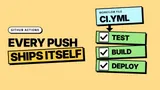
Section titled “Mental model”GitHub Actions is an event-driven automation platform. A repository event triggers a workflow, which orchestrates one or more jobs. Jobs run in parallel by default on fresh virtual machines, and each job executes a sequence of individual steps that can run shell commands or reusable actions.
Workflow structure
Section titled “Workflow structure”| Key | Purpose |
|---|---|
name | The workflow name shown in the UI |
on | The event(s) that trigger the workflow |
jobs | The container for all workflow jobs |
A workflow is defined by a YAML file in the .github/workflows/ directory. It requires an event trigger and at least one job containing steps.
name: Buildon: [push]jobs: build: runs-on: ubuntu-latest steps: - uses: actions/checkout@v4 - run: npm installNote: Paths are relative to the repository root unless you specify a different working directory.
Events and triggers
Section titled “Events and triggers”| Event | Trigger condition |
|---|---|
push | Code is pushed to a branch or tag |
pull_request | A PR is opened or updated |
workflow_dispatch | Manual trigger via UI or API |
Workflows run when specific GitHub events occur. You can restrict triggers to specific branches, tags, or file paths to prevent unnecessary runs.
on: push: branches: [main] paths: ["src/**"] workflow_dispatch:Gotcha: The
pull_requestevent runs on the merge commit of the PR, not the exact branch head.
Job dependencies
Section titled “Job dependencies”| Keyword | Purpose |
|---|---|
needs | Require another job to finish first |
if | Run conditionally on expressions |
Jobs run in parallel across separate runners by default. You string them together sequentially using the needs keyword, ensuring dependent jobs only run if their prerequisites succeed.
jobs: test: runs-on: ubuntu-latest deploy: needs: test runs-on: ubuntu-latest if: github.ref == 'refs/heads/main'Tip: Use
needs: [job1, job2]to wait for multiple jobs before proceeding.
Matrix strategies
Section titled “Matrix strategies”| Key | Purpose |
|---|---|
matrix | Define multiple job configurations |
include | Add specific combinations |
fail-fast | Cancel all jobs if one fails |
A matrix strategy lets you run the same job multiple times with different variable combinations. It is ideal for testing across multiple operating systems or language versions concurrently.
jobs: test: runs-on: ubuntu-latest strategy: matrix: node: [18, 20] steps: - uses: actions/setup-node@v4 with: node-version: ${{ matrix.node }}Secrets and variables
Section titled “Secrets and variables”| Scope | Usage |
|---|---|
| Repository | ${{ secrets.MY_SECRET }} |
| Environment | ${{ vars.MY_VAR }} |
Variables and secrets provide values to your workflows dynamically. Secrets are encrypted and masked in logs, while variables are plaintext. Both can be scoped to the repository, organization, or specific environments.
steps: - run: npm run deploy env: API_KEY: ${{ secrets.PROD_API_KEY }} NODE_ENV: ${{ vars.ENV_NAME }}Warning: Never pass secrets directly into
runscripts using expression syntax, as it exposes them to command injection.
Expressions and contexts
Section titled “Expressions and contexts”| Context | Contains |
|---|---|
github | Workflow run and repo details |
runner | Current runner environment |
env | Environment variables |
Expressions allow you to programmatically evaluate conditions and access contexts. They are enclosed in ${{ }} syntax and can use built-in functions like contains() or always().
steps: - run: echo "Branch is ${{ github.ref }}" - if: failure() run: echo "A previous step failed."Gotcha: You can only use the
envcontext in specific places, like thewithorifkeys of a step.
Further reading
Section titled “Further reading”- GitHub Actions Documentation — The official reference for workflows, events, and syntax.
- GitHub Marketplace — Explore pre-built actions to use in your workflows.
A version typeset for e-ink is available at https://sokurenko.dev/tooling/github-actions/