
Time-Series Databases for Telemetry
Mental model
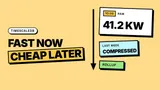
Section titled “Mental model”Telemetry is append-mostly data whose primary dimension is time, and almost every query asks about a recent window or a coarse summary of an old one. So partition by time, aggregate ahead of time, and let old data get cheaper as it ages — first compressed, then summarized, then dropped. TimescaleDB does all three inside PostgreSQL; this sheet assumes the PostgreSQL sheet for everything else.
Hypertables and chunks
Section titled “Hypertables and chunks”| Setting | Default |
|---|---|
tsdb.hypertable | Turns CREATE TABLE into a hypertable |
tsdb.partition_column | First timestamp column |
tsdb.chunk_interval | 7 days |
tsdb.segmentby | Picked from statistics |
| Columnstore policy | Created automatically |
A hypertable looks like one table but is stored as chunks, one per time range; queries with a time predicate skip chunks outside it. Size the chunk interval so the indexes of the chunks being written fit in about 25% of memory — the docs’ rule, not a default.
CREATE TABLE readings ( time timestamptz NOT NULL, device_id int NOT NULL, metric text NOT NULL, value double precision, UNIQUE (device_id, metric, time)) WITH ( tsdb.hypertable, tsdb.partition_column = 'time', tsdb.chunk_interval = '1 day', tsdb.segmentby = 'device_id', tsdb.orderby = 'time DESC');Gotcha: a unique index on a hypertable “must contain all the partitioning columns”.
UNIQUE (device_id)or a surrogateidprimary key alone is rejected; uniqueness always includestime.
Modeling series
Section titled “Modeling series”| Choice | Use |
|---|---|
Narrow: (time, device, metric, value) | Many sparse metrics |
| Wide: one column per metric | Fixed sensor set, read together |
Separate devices table | Site, model, tags — join on read |
segmentby the series id | Compression and per-device scans |
A series is one device (and metric) over time. Keep slowly changing
metadata — site, firmware, location — in an ordinary table keyed by
device id rather than repeating it on every row. Segment the columnstore
by the column you filter on most, and keep its cardinality low: the
docs note lower segmentby cardinality compresses better.
CREATE TABLE devices ( device_id int PRIMARY KEY, site text NOT NULL, model text);SELECT d.site, avg(r.value)FROM readings r JOIN devices d USING (device_id)WHERE r.metric = 'power_kw' AND r.time > now() - interval '1 hour'GROUP BY d.site;Time buckets and latest values
Section titled “Time buckets and latest values”| Function | Returns |
|---|---|
time_bucket('15 min', time) | Bucket start for each row |
last(value, time) | Latest value within a group |
first(value, time) | Earliest value within a group |
DISTINCT ON (device_id) | Latest row per device |
time_bucket is date_trunc with arbitrary widths; group by it to
downsample at query time. first and last pick a value by another
column inside a GROUP BY.
SELECT time_bucket('15 minutes', time) AS bucket, device_id, avg(value) AS avg_kw, last(value, time) AS last_kwFROM readingsWHERE metric = 'power_kw' AND time > now() - interval '1 day'GROUP BY bucket, device_idORDER BY bucket;Gotcha:
last()andfirst()“do not use indexes”; they scan the whole group. For “current value per device” useSELECT DISTINCT ON (device_id) … ORDER BY device_id, time DESC.
Gap filling
Section titled “Gap filling”| Function | Fills a missing bucket with |
|---|---|
time_bucket_gapfill(w, time) | A row with NULL aggregate |
locf(agg) | Last observation carried forward |
interpolate(agg) | Linear interpolation |
Sensors drop out, and charts need a row for every bucket.
time_bucket_gapfill emits the missing buckets; wrap the aggregate in
locf or interpolate to fill them. The range comes from the WHERE
clause, so give it explicit lower and upper bounds on time.
SELECT time_bucket_gapfill('5 minutes', time) AS t, device_id, locf(avg(value)) AS kwFROM readingsWHERE metric = 'power_kw' AND time >= now() - interval '6 hours' AND time < now()GROUP BY t, device_idORDER BY t;Note: the aggregate goes inside
locf, never the other way round —locf(avg(value)), notavg(locf(value)).
Continuous aggregates
Section titled “Continuous aggregates”| API | Does |
|---|---|
WITH (timescaledb.continuous) | Incrementally maintained view |
add_continuous_aggregate_policy | Refresh a window on a schedule |
materialized_only = false | Add not-yet-materialized raw rows |
| Aggregate on an aggregate | Hourly to daily rollups |
A continuous aggregate stores the result of a time_bucket GROUP BY
and refreshes only buckets whose raw data changed. The policy refreshes
from start_offset to end_offset ago; leave the newest, still-busy
bucket out of the window.
CREATE MATERIALIZED VIEW readings_1hWITH (timescaledb.continuous) ASSELECT time_bucket('1 hour', time) AS bucket,       device_id, metric,       avg(value) AS avg, max(value) AS maxFROM readingsGROUP BY bucket, device_id, metric;
SELECT add_continuous_aggregate_policy(  'readings_1h',  start_offset => INTERVAL '3 days',  end_offset => INTERVAL '1 hour',  schedule_interval => INTERVAL '30 minutes');
Gotcha:
timescaledb.materialized_onlydefaults totrue, so the view returns nothing newer than its last refresh. Dashboards look an hour behind until you set it tofalse(real-time aggregation).
Columnstore, retention, downsampling
Section titled “Columnstore, retention, downsampling”| Policy | Typical age |
|---|---|
add_columnstore_policy(t, after => …) | Older than a few chunks |
add_retention_policy(t, drop_after => …) | Raw: weeks to months |
add_retention_policy(cagg, …) | Rollups: years |
The columnstore converts older chunks to compressed columnar form,
segmented and ordered as you configured. Retention drops whole chunks,
which is far cheaper than DELETE. Downsampling is the two combined:
keep raw readings for weeks and the hourly aggregate for years.
CALL add_columnstore_policy('readings', after => INTERVAL '2 days');SELECT add_retention_policy('readings', drop_after => INTERVAL '30 days');SELECT add_retention_policy('readings_1h', drop_after => INTERVAL '2 years');Warning: if the aggregate’s refresh window reaches back past the raw retention, the refresh “sees that the raw data was deleted” and deletes the aggregate rows too. Keep
start_offsetwell inside the raw retention period.
Ingesting from MQTT and Kafka
Section titled “Ingesting from MQTT and Kafka”| Concern | Do |
|---|---|
| Throughput | Batch: multi-row INSERT or COPY |
| Redelivery | ON CONFLICT DO NOTHING on the unique key |
| Late data | Arrives inside the refresh window |
| Clock source | Device timestamp, not insert time |
Broker consumers deliver at least once, so make writes idempotent with
the (device_id, metric, time) unique key. Buffer messages for a few
hundred milliseconds and write them in one statement rather than one
round trip per reading.
INSERT INTO readings (time, device_id, metric, value)VALUES ('2026-11-02T10:00:00Z', 7, 'power_kw', 41.2), ('2026-11-02T10:00:00Z', 8, 'power_kw', 39.8)ON CONFLICT (device_id, metric, time) DO NOTHING;Gotcha: a reading older than the aggregate policy’s
start_offsetlands in the raw table but never reaches the aggregate. After a device backfills days of buffered data, callrefresh_continuous_aggregatefor that range.
InfluxDB 3 in comparison
Section titled “InfluxDB 3 in comparison”| TimescaleDB 2.31 | InfluxDB 3.12 | |
|---|---|---|
| Engine | PostgreSQL extension | Own engine, Parquet on object storage |
| Query | Full SQL, joins | SQL and InfluxQL |
| Flux | — | Maintenance mode, not supported |
| Model | Tables you design | Tables with tags, fields, time |
| Open source | Core is Apache 2.0 | InfluxDB 3 Core, single node |
InfluxDB 3 is a rewrite: SQL replaces Flux, which is “now in maintenance mode”, and Flux queries must move to SQL or InfluxQL. Core is the free single-node release; Enterprise adds high availability and long-range historical queries. Pick TimescaleDB when telemetry must join business data in Postgres; pick InfluxDB when it lives on its own.
# InfluxDB line protocol: table,tags fields timepower,device=7,site=n kw=41.2 1793613600000000000Note: continuous aggregates, the columnstore, retention policies and gap filling carry TimescaleDB’s Community licence, not Apache 2.0. A Postgres service offering only the Apache build lacks them.
Further reading
Section titled “Further reading”A version typeset for e-ink is available at https://sokurenko.dev/data/timescaledb/